AddShoppers vs Omnisend (Cart Email Seat)
AddShoppers vs Omnisend for cart emails: AddShoppers redirects to Minty. Buy Omnisend's live cart automation with published Free/$16/$59 seats.
GetResponse double opt-in is off by default. Enable the list confirmation toggle, match form surfaces, and remember DOI alone is not GDPR compliance.

TL;DR: GetResponse double opt-in is disabled by default. Turn on the list confirmation toggle under Contacts → Settings → Subscription, then match Forms, Landing pages, and Website builder surfaces. DOI alone is not GDPR compliance—add consent checkboxes and a privacy policy link.
People search getresponse double opt-in when a form looks live but welcome emails never fire—or when counsel asks whether the confirmation email “covers GDPR.” Both failures share one root: GetResponse treats DOI as a surface setting that starts off, not as a legal seal.
This page owns the GetResponse settings ladder. The SOI vs DOI tradeoff and the 2022 SMB arithmetic live in double opt-in vs single opt-in. List growth denominators live in email list growth benchmarks. Inbox survival lives in email deliverability benchmarks. Preference controls are not a substitute for stop-all—see preference center best practices.
Key takeaways:
GetResponse double opt-in (confirmed opt-in) is the setting that withholds list membership until a contact clicks the confirmation link in the email GetResponse sends after signup.
Single opt-in adds the address on submit. Double opt-in adds a second hop: submit → confirmation email → click → subscribed. GetResponse documents the list-level control under Subscription settings and reminds you that express consent is still required before you import or API-add people even when DOI is off (GetResponse Help).
If you only read vendor marketing, DOI sounds mandatory. If you only read growth Twitter, DOI sounds optional theater. GetResponse’s own product default—off—tells you which way the platform leans until you choose otherwise. That default is the editorial stake of this page: configure the ladder deliberately, or inherit single opt-in by silence.
A default-off confirmation toggle creates silent list pollution: forms collect, automations assume subscribed, deliverability pays later. Flipping DOI on without matching every surface creates the opposite bug: some paths confirm, others skip.
Why the surface ladder matters:
GetResponse double opt-in works as a GetResponse DOI Surface Ladder. Climb every rung that can create a contact.
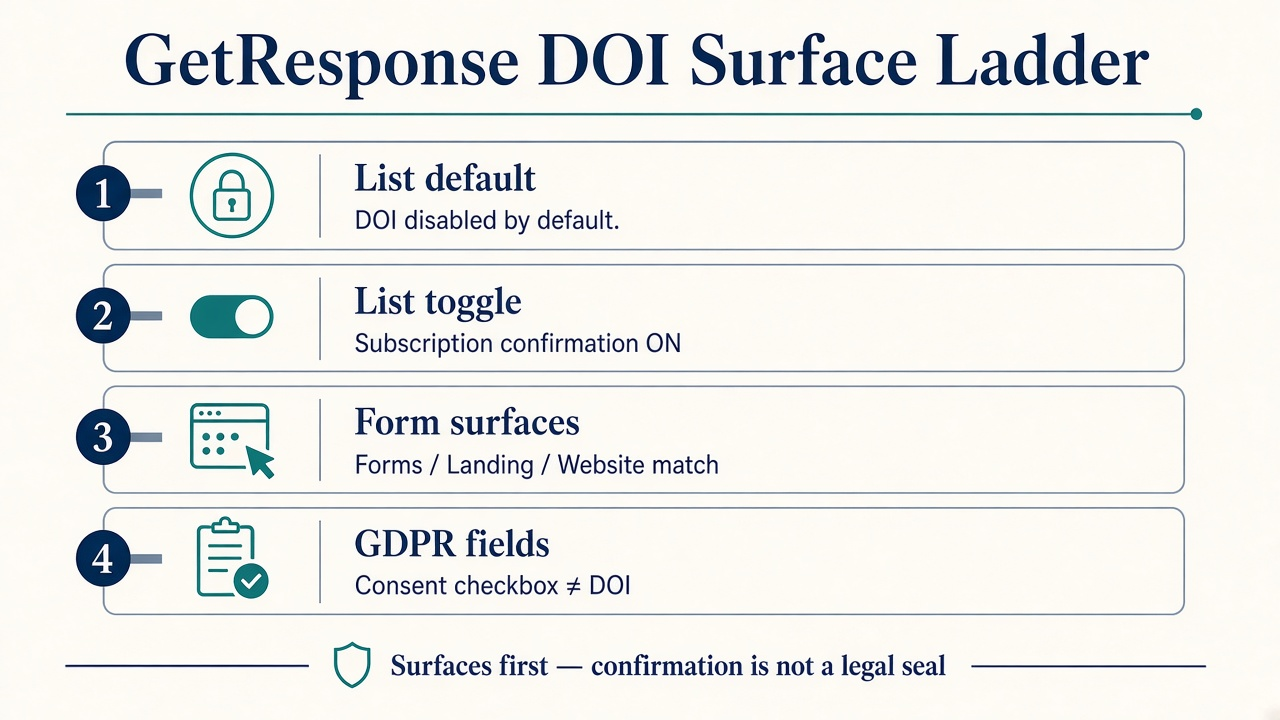
Source: Editorial GetResponse DOI Surface Ladder from GetResponse Help docs fetched 2026-10-15. https://www.getresponse.com/help/how-can-i-edit-the-subscription-settings-for-my-list.html · https://www.getresponse.com/help/how-can-i-edit-opt-in-settings.html
| Platform | Published opt-in default (hosted forms / lists) | Notes |
|---|---|---|
| GetResponse | DOI off by default | Enable confirmation under list Subscription settings (GetResponse Help) |
| Mailchimp | Single opt-in by default | DOI optional per audience forms (Mailchimp Help) |
| Klaviyo | DOI configurable per list; unconfirmed stay out of welcome until confirm | Use SOI mainly when another tool already confirms (Klaviyo Help) |
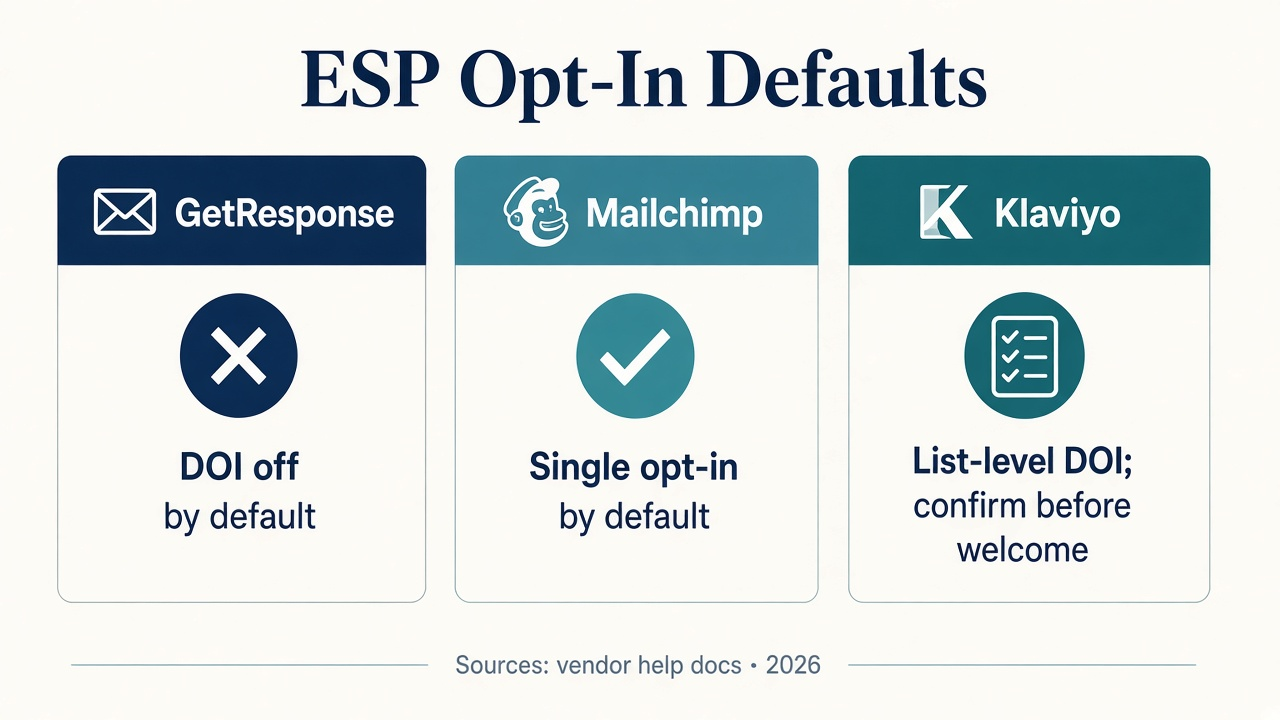
Source: GetResponse Help; Mailchimp Help; Klaviyo Help. Accessed 2026-10-15.
| Metric | Single opt-in | Double opt-in |
|---|---|---|
| Visitor → subscriber | 1.28% | 0.33% |
| Newsletter open rate | 27.36% | 35.72% |
| Newsletter CTR | 2.36% | 4.19% |
Source: GetResponse analysis of premium SMB accounts using online forms in 2022; 2.76 billion newsletters examined. https://www.getresponse.com/blog/single-opt-in-vs-double-opt-in
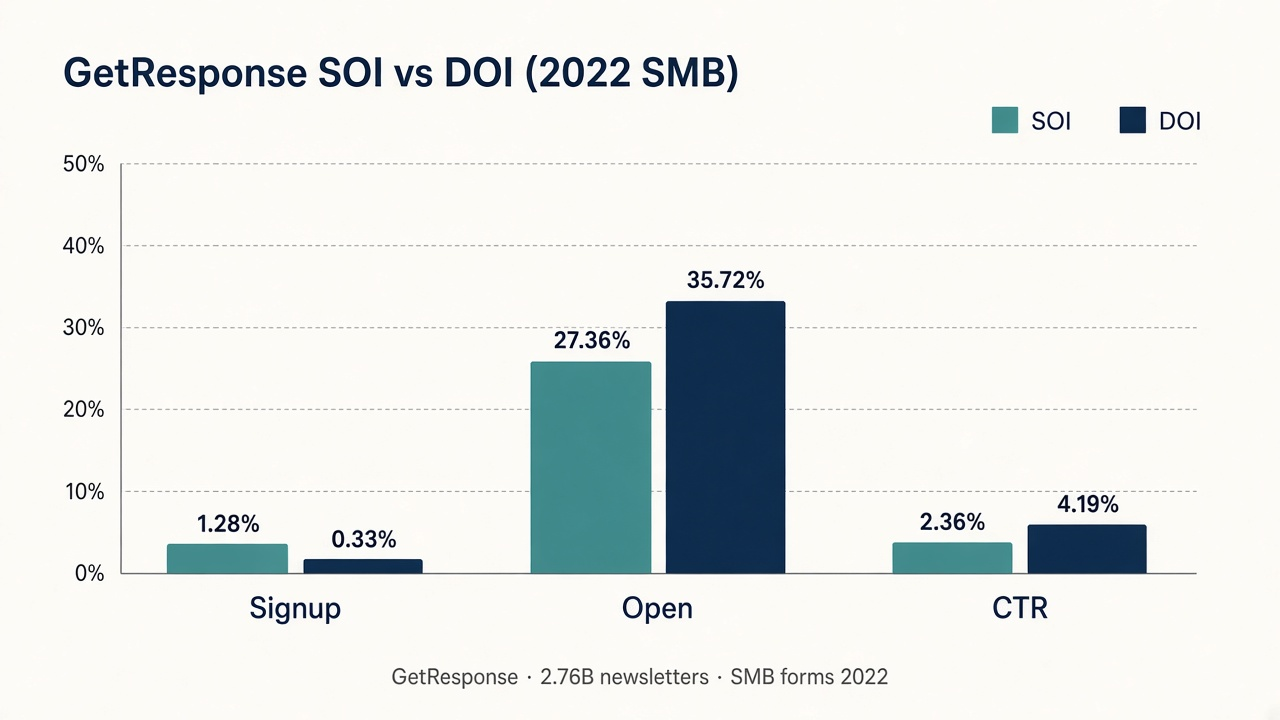
Source: GetResponse, Single opt-in vs double opt-in (updated Jun 4, 2024). https://www.getresponse.com/blog/single-opt-in-vs-double-opt-in
Enable GetResponse double opt-in on the list first, then audit every signup surface that can write to that list.
When you change the toggle, re-test every paid and organic path that can create a contact—popup, embedded form, landing page, and API. One forgotten surface keeps writing single-opt-in subscribers into a list you believe is confirmed.
Instrument submits and confirms as separate events. A DOI form that looks “broken” is often a confirmation email in spam—or a popup still set to single opt-in while the list toggle is on.
Q: What is GetResponse double opt-in? A: It is confirmed opt-in: after someone submits a signup, GetResponse sends a confirmation email and only adds them as a subscribed contact after they click. The list-level control starts disabled by default.
Q: How do I enable GetResponse double opt-in? A: In Contacts, open the list’s Settings → Subscription, switch the confirmation message toggle ON, save, then enable the same confirmation on Forms, Landing pages, and Website builder surfaces that write to that list.
Q: Is GetResponse double opt-in required for GDPR? A: No. GetResponse states DOI alone is not enough to prove consent. Use consent checkboxes, a privacy policy link, and easy withdrawal—then optionally keep DOI for confirmation hygiene.
Q: Should I use GetResponse single or double opt-in? A: Trade volume for engagement. GetResponse’s 2022 SMB sample shows SOI signup at 1.28% vs DOI at 0.33%, while DOI leads opens and CTR. Run the absolute-clicker math for your traffic before you moralize the toggle.
Q: Is GetResponse double opt-in the same as double opt-in vs single opt-in? A: No. This page owns GetResponse’s defaults and surface settings. Double opt-in vs single opt-in owns the cross-ESP tradeoff scorecard.
GetResponse double opt-in is a Surface Ladder: default off on the list, then every form path, with GDPR consent fields as a separate rung DOI cannot replace. Flip the toggle on purpose, test one inbox, and price the SOI/DOI tradeoff in absolute clickers. If what you need is creators selling an existing product through co-branded storefronts, list on feat.: https://www.feat.press.
AddShoppers vs Omnisend for cart emails: AddShoppers redirects to Minty. Buy Omnisend's live cart automation with published Free/$16/$59 seats.
Mailing CPM is cost per 1,000 list recipients. Use Carroway size-band medians ($62.50→$7.77) and placement types—not one fake “good CPM.”
Optimal cart abandonment email timing: Omnisend 30–60 min, Klaviyo 2–4h (4h default), Mailchimp 1h/1d/3d—test RPR, refuse a golden minute.